The plan you can see.The timers that make it happen.
Capture a task, plan your day, then run a few timers at once.
Works offline - everything waits where you left it.
Free to start. Android is next.
PlanSync is out on the App Store and the Chrome Web Store. Android is next. Free on every device - cross-device sync is Pro.
You set a timer. It vanishes behind six apps.
Invisible time doesn’t exist for an ADHD brain - that’s how a five-minute break turns into ninety.
All of them at once, always in view.
What already works
Everything below works in the app today.
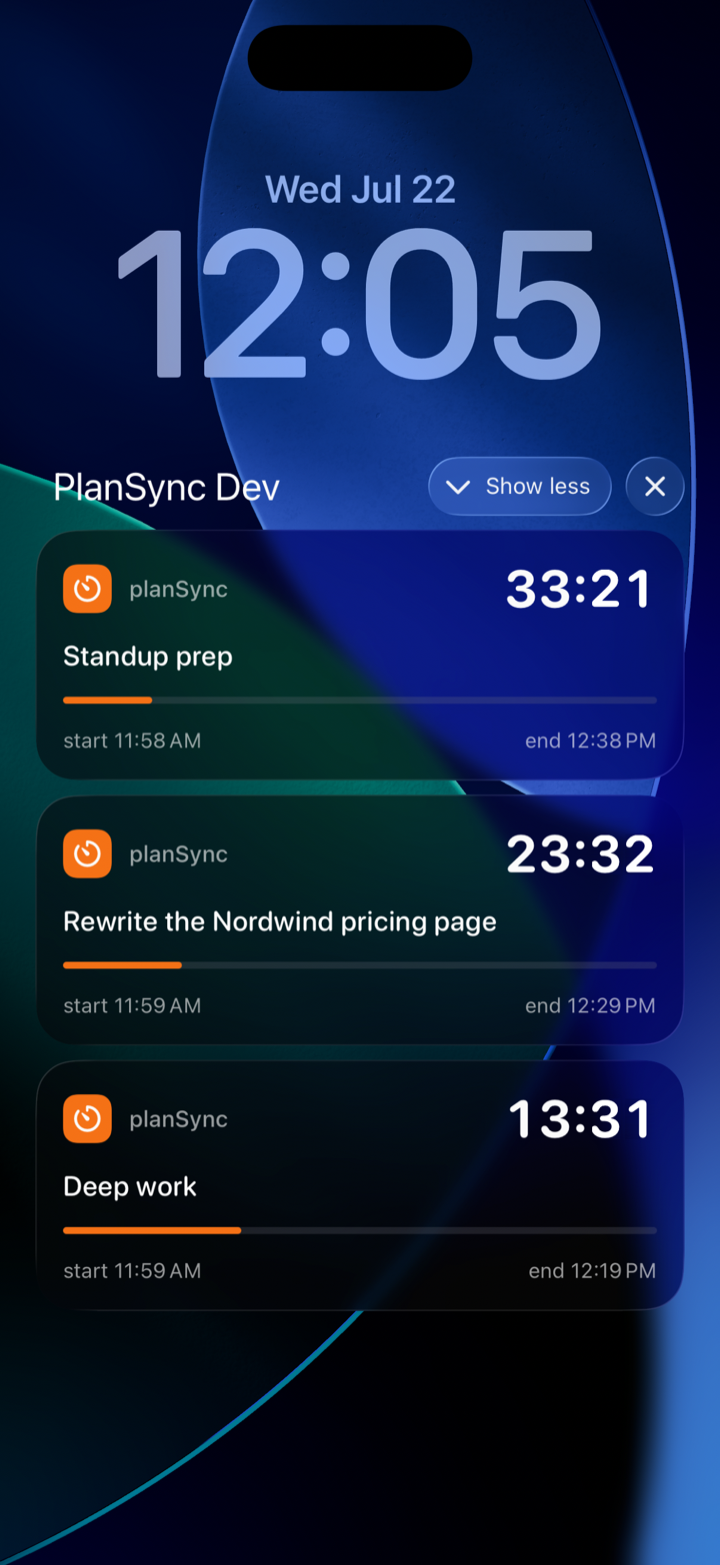
Timers that won’t let you forget
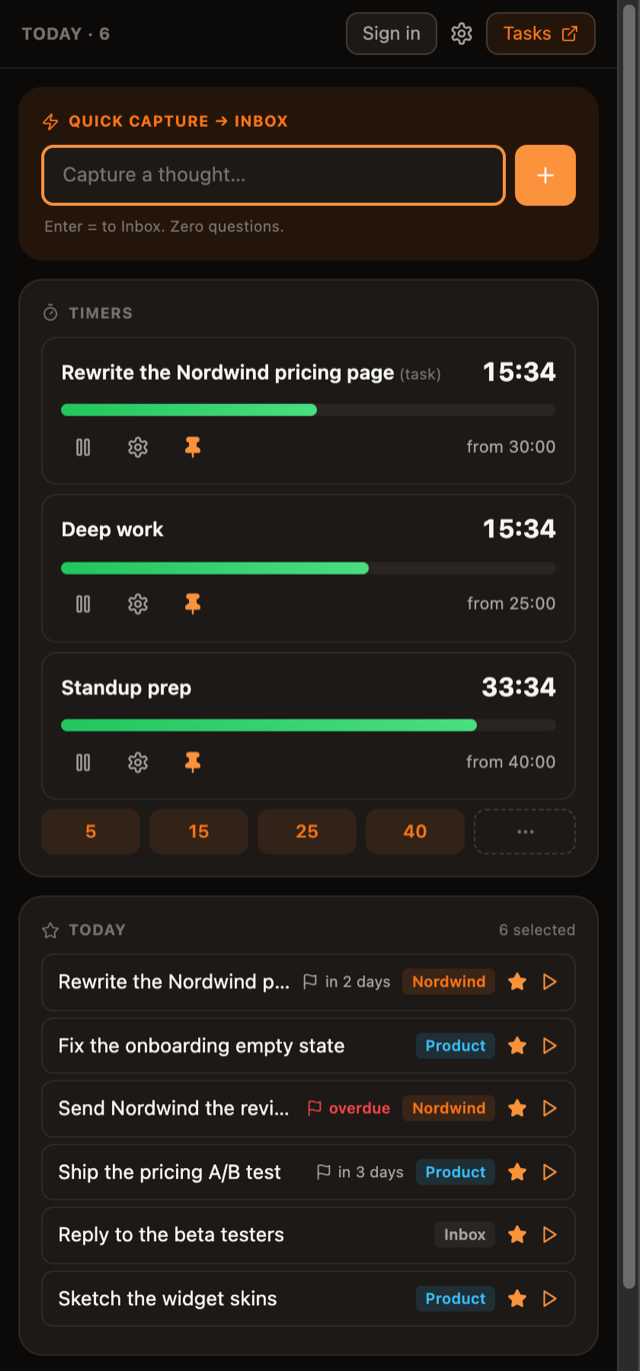
Run several countdowns at once - on the lock screen, in the Dynamic Island, wherever your eyes land.
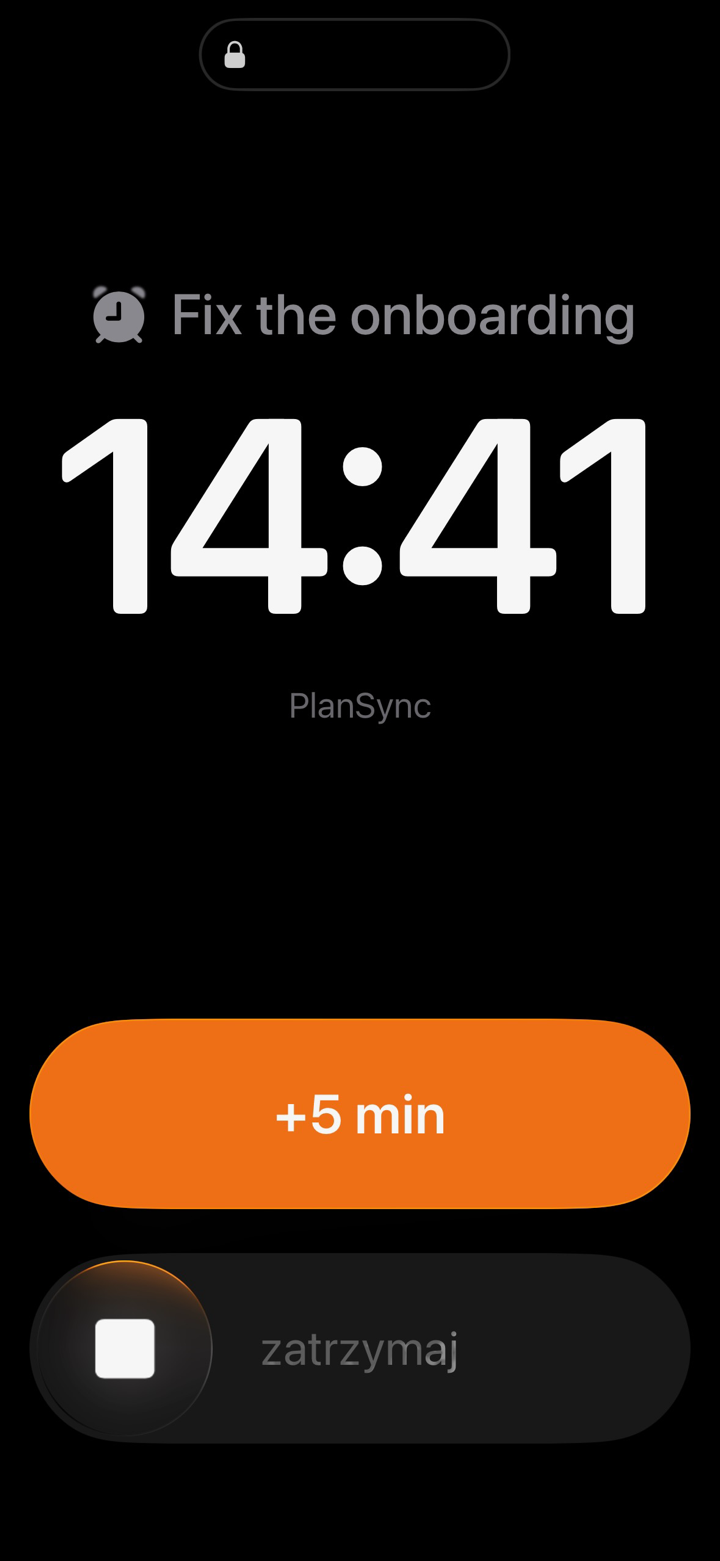
An alarm that breaks hyperfocus
Full-screen, loud, over the lock screen. On iOS 26 it rings through the system alarm - snooze +5 included.
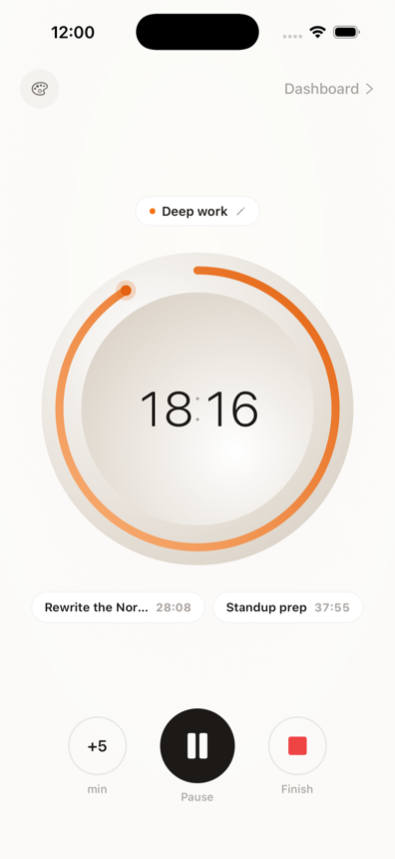
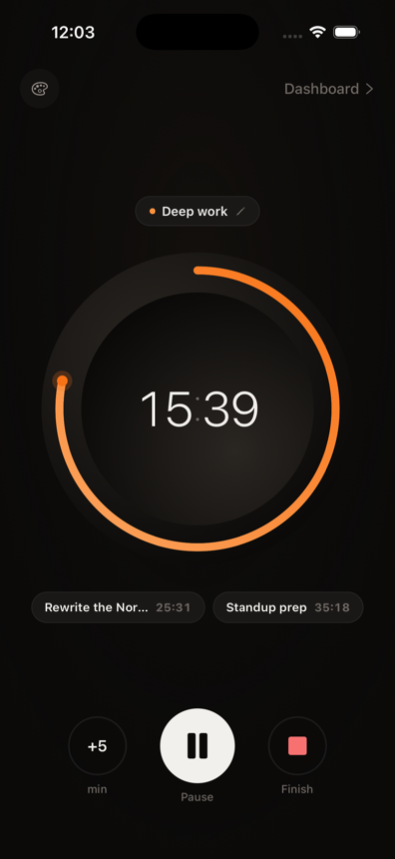
Focus mode with clock faces
One task, one full-screen countdown. Seven faces, from a minimal dial to a stopwatch.
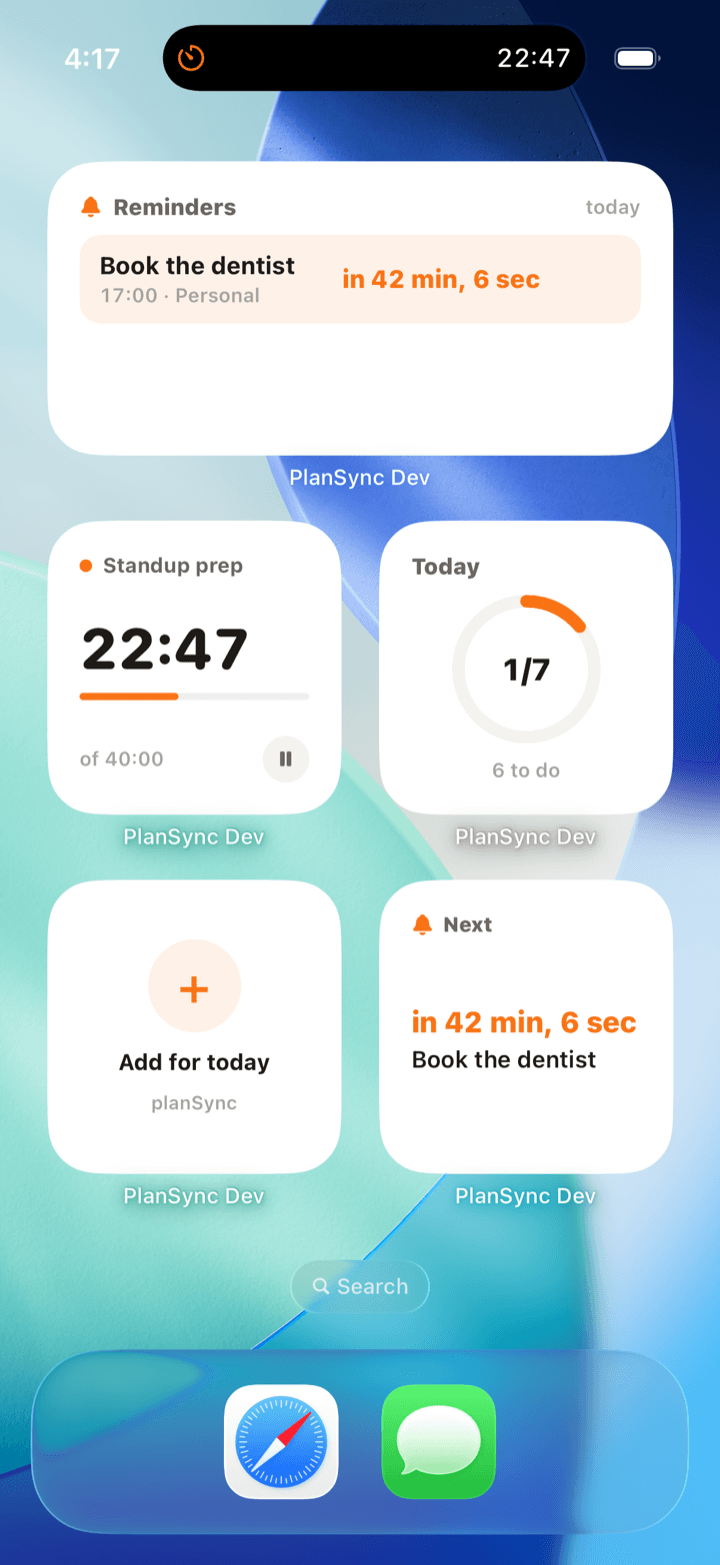
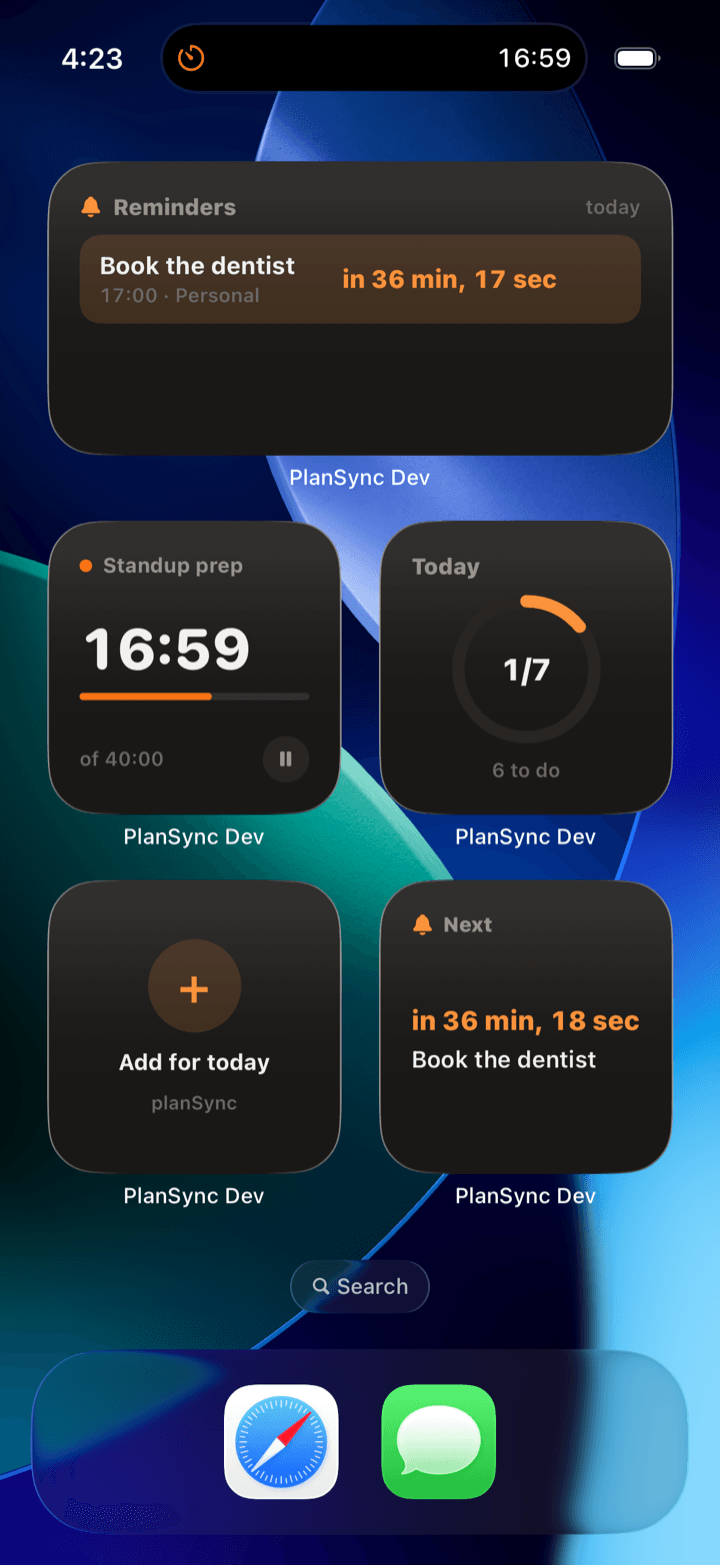
Widgets on your home & lock screen
Five widgets, four skins. Check tasks and pause timers without opening the app.
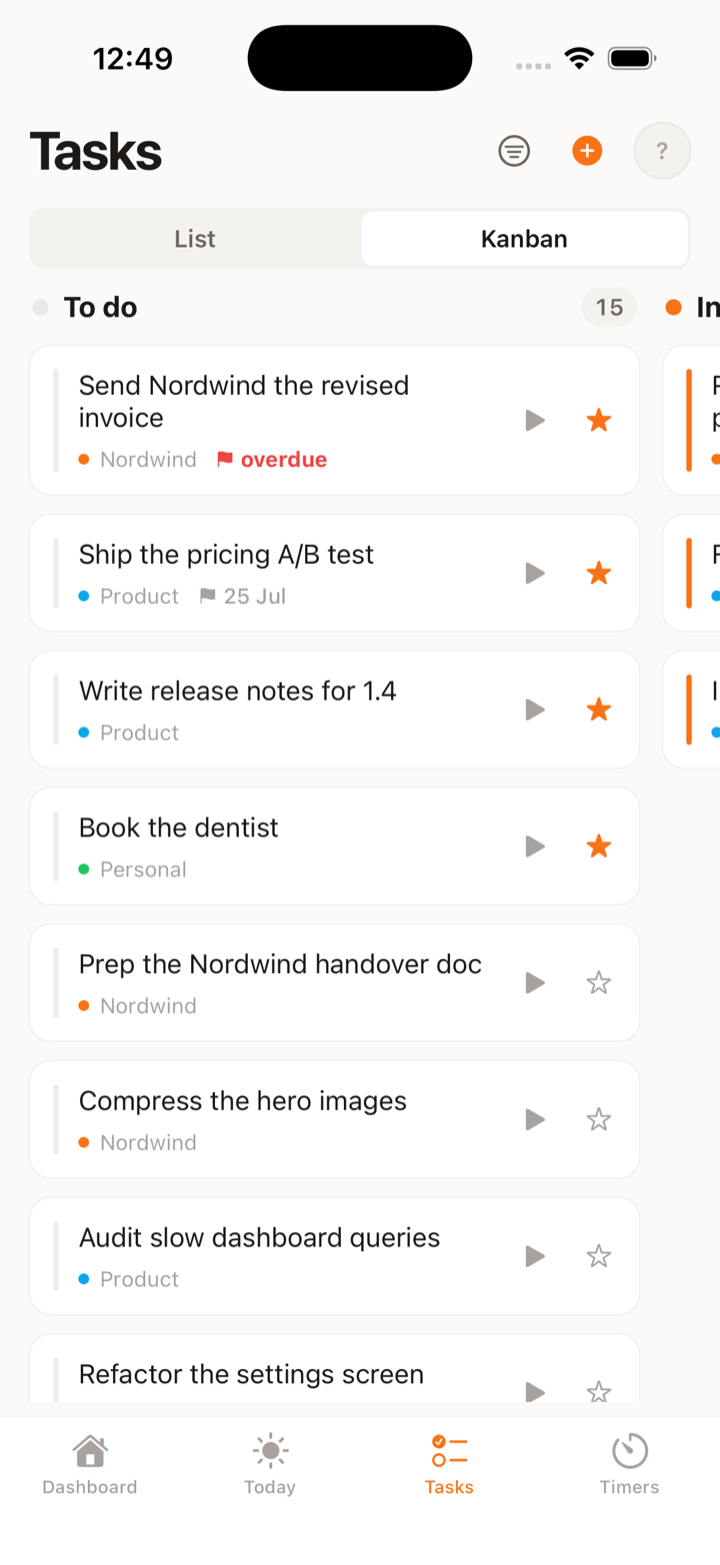
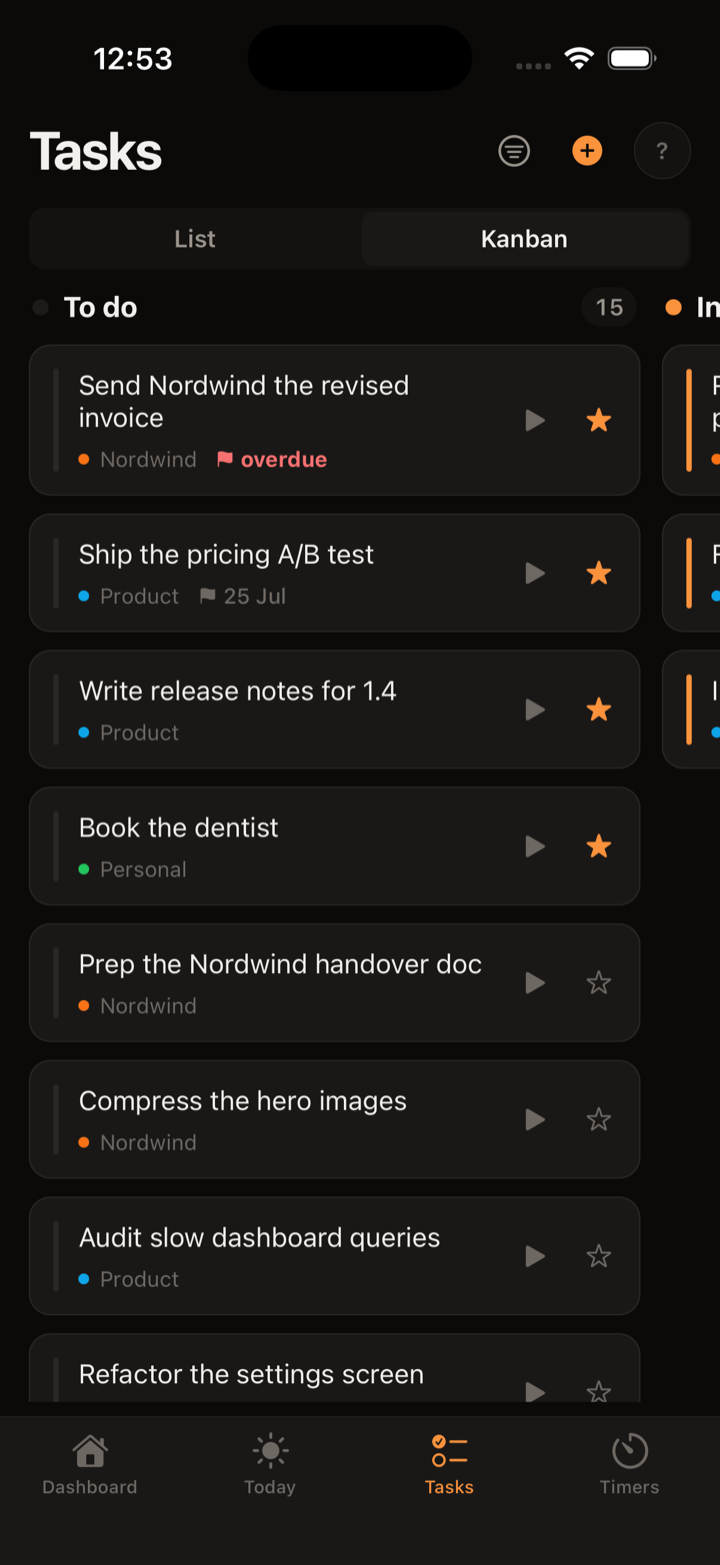
One list, or a kanban board
Triage in Doing / Todo / Done sections, or flip the same tasks into a kanban board with a work-in-progress limit.
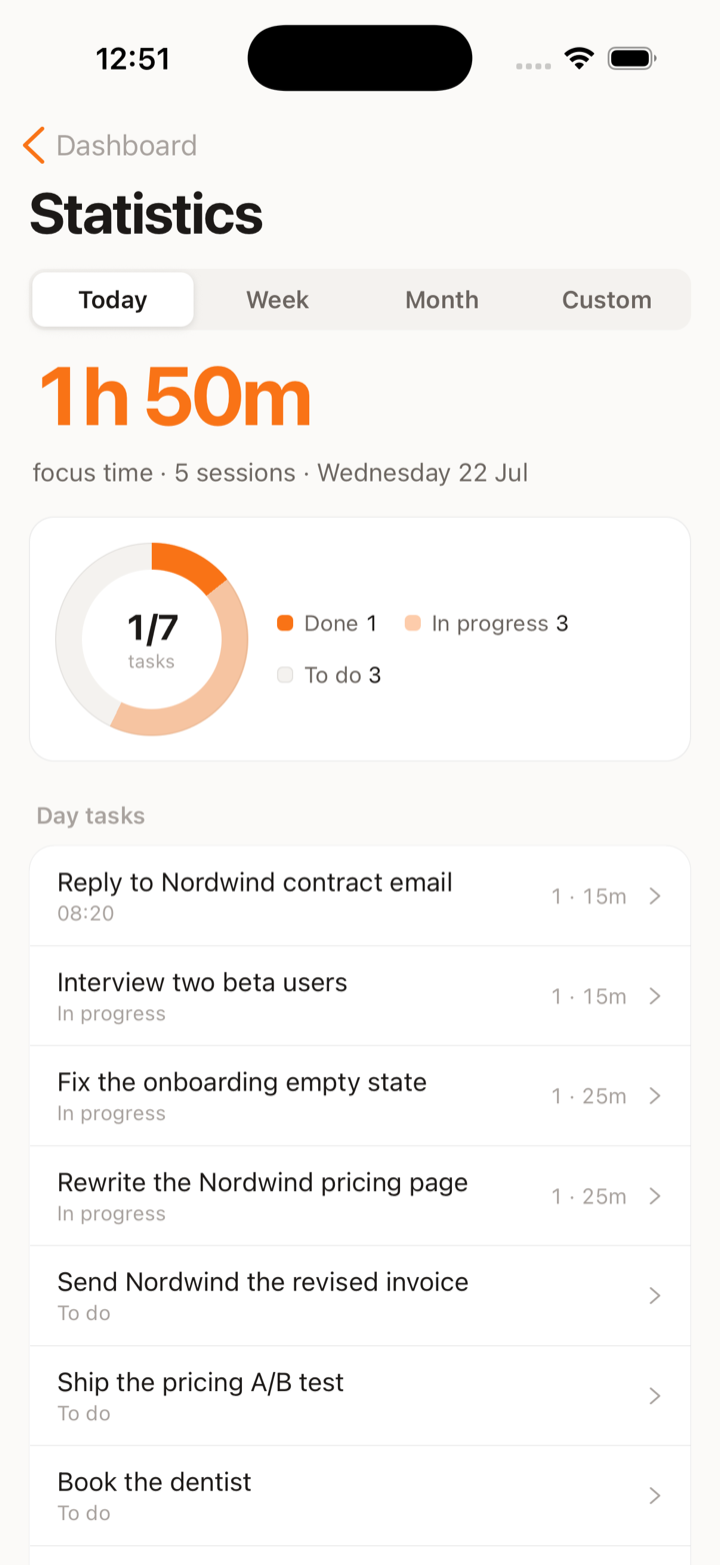
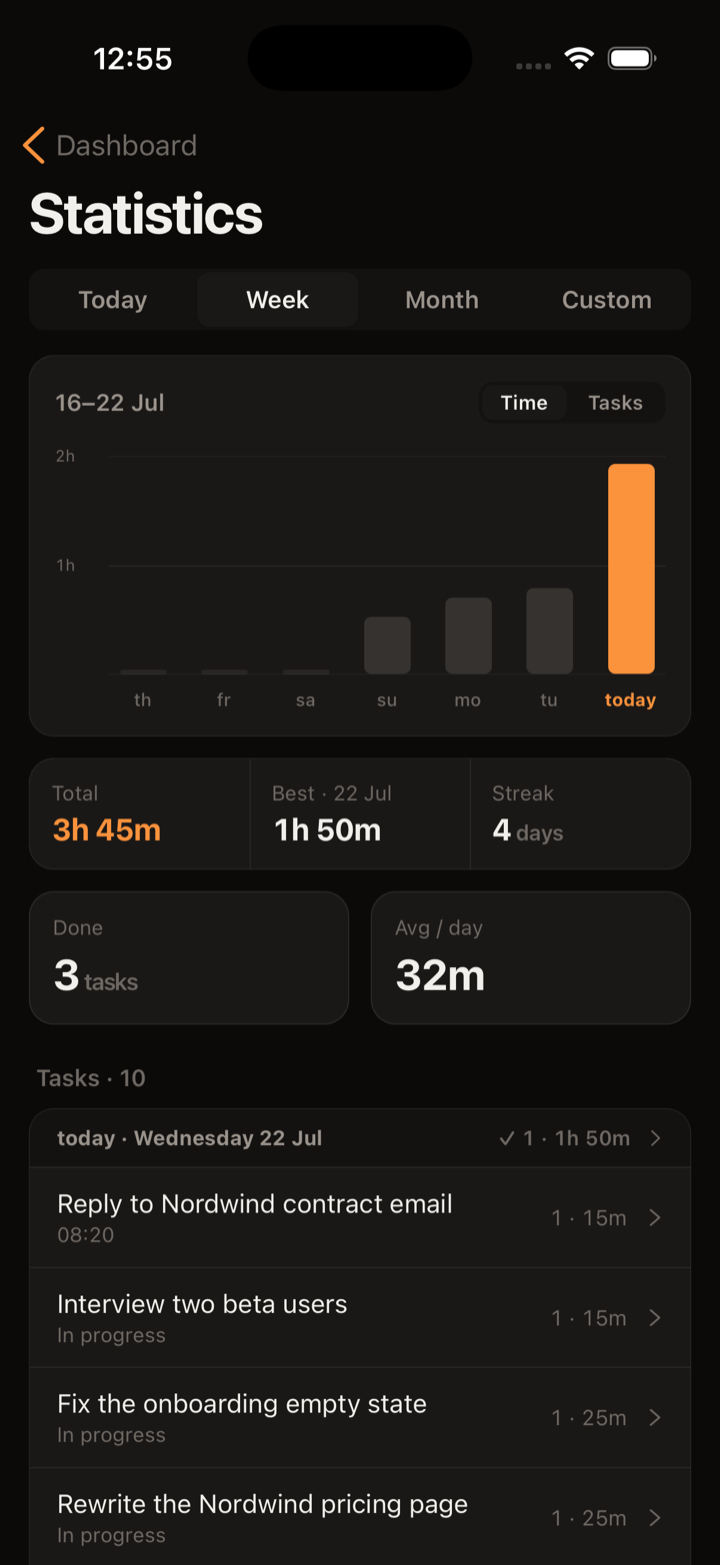
Stats that show where the time went
Focus time, sessions and finished tasks - today, this week, this month. Charts built on real sessions, not guesses.
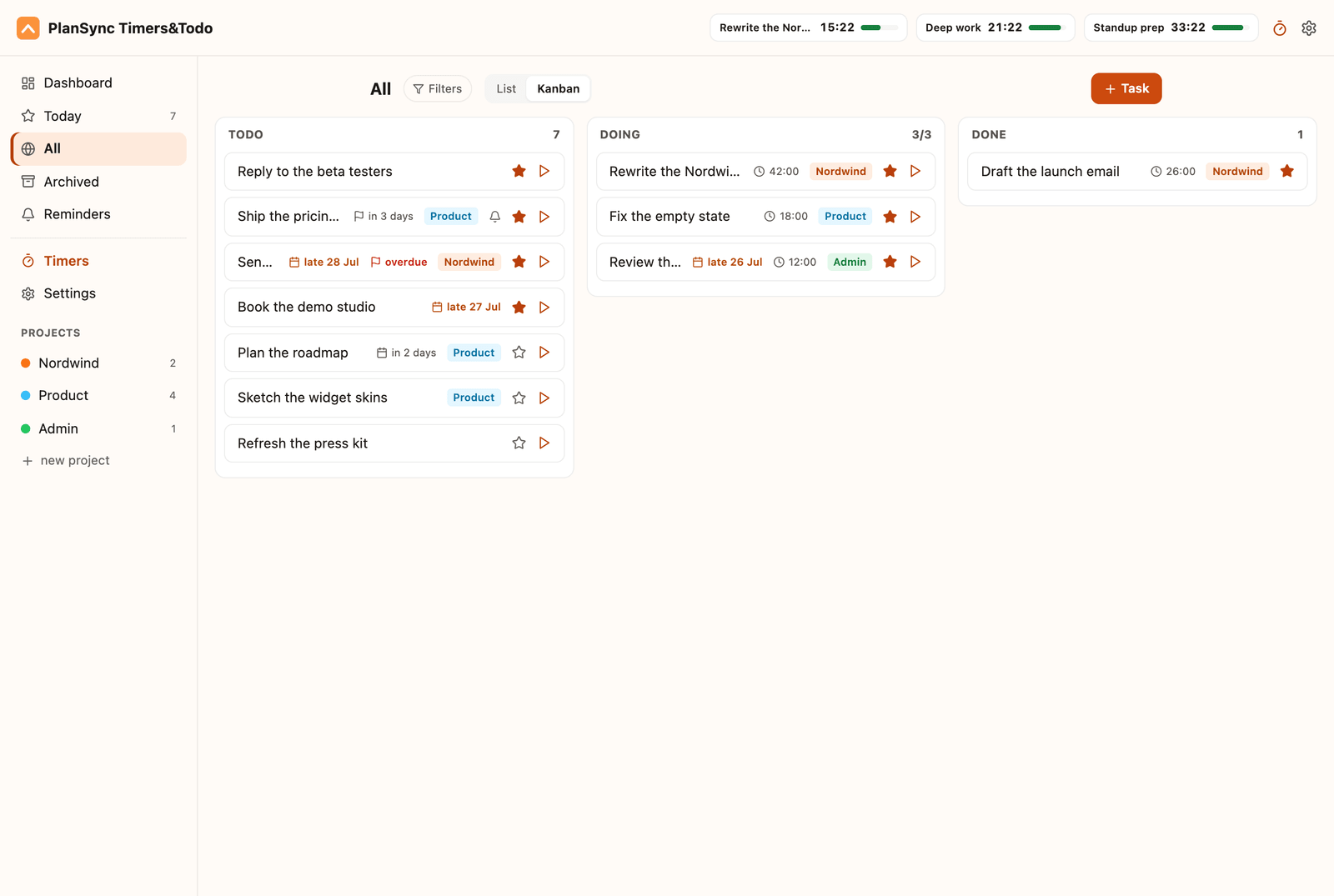
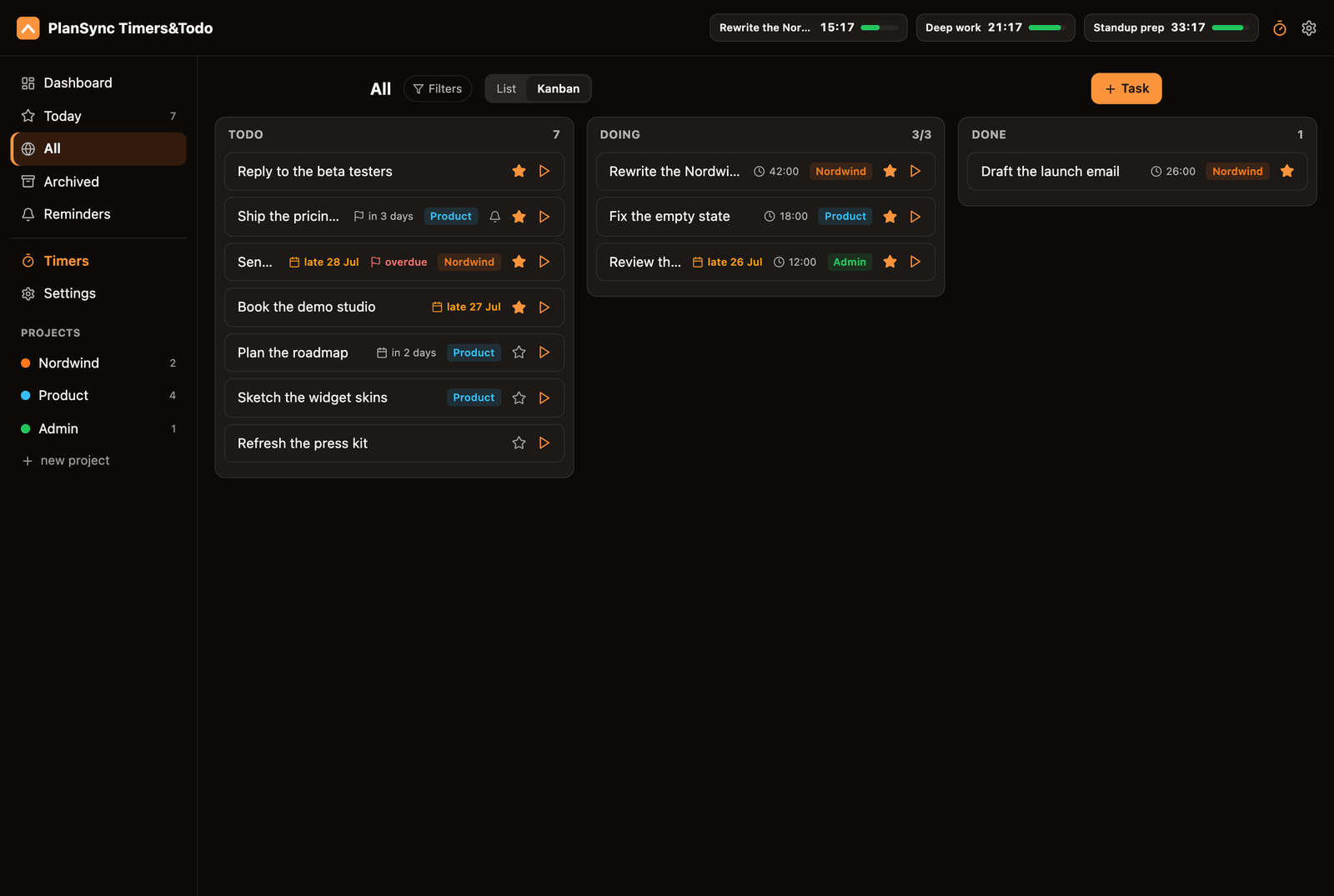
Lives in your browser too
A Chrome extension with one-keystroke capture, your task list and kanban board, and timer presets a click away.
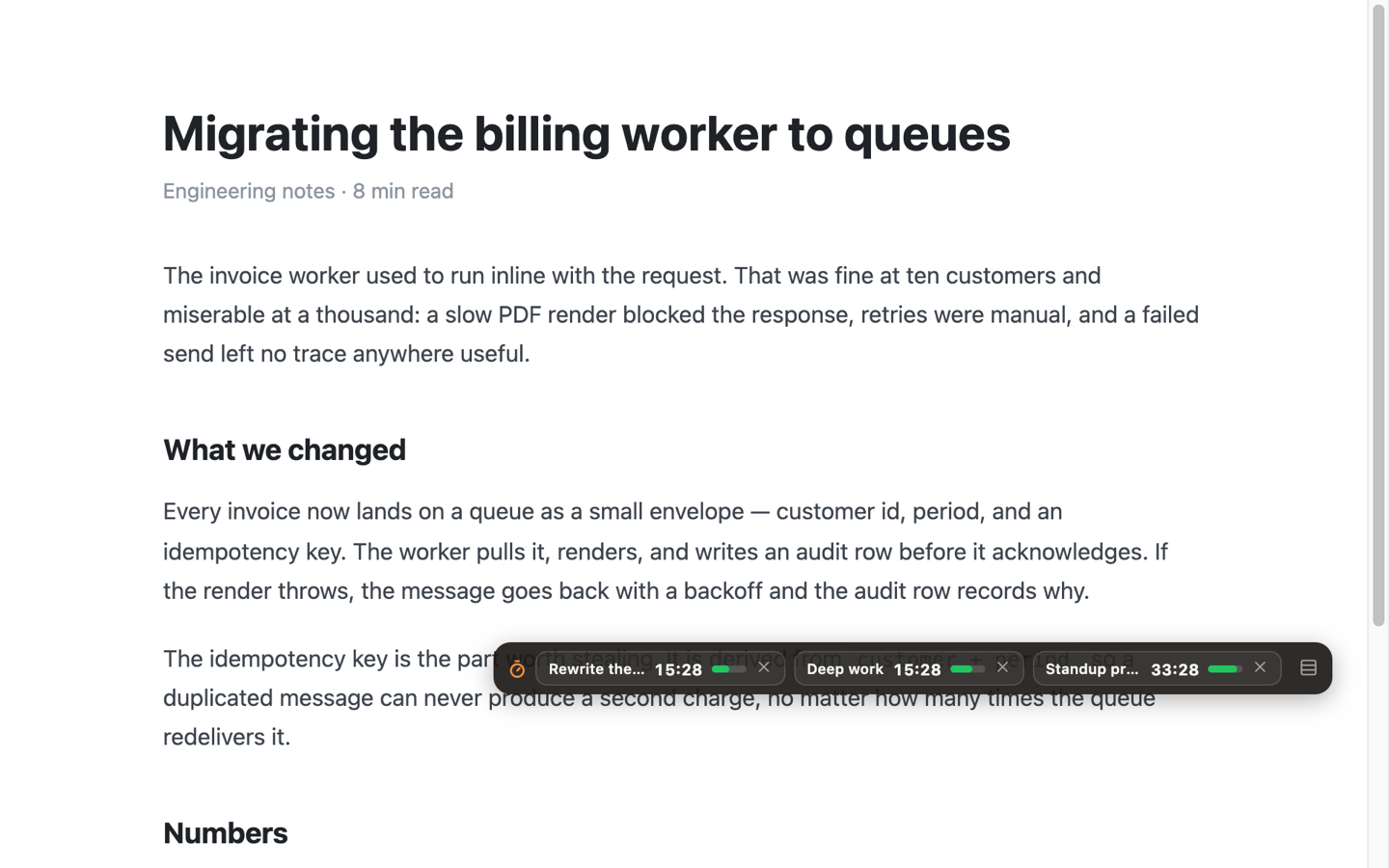
A timer that follows you across tabs
Running countdowns ride along on any page in a floating widget - five looks, its own spot per site, and paused timers stay out of the way.
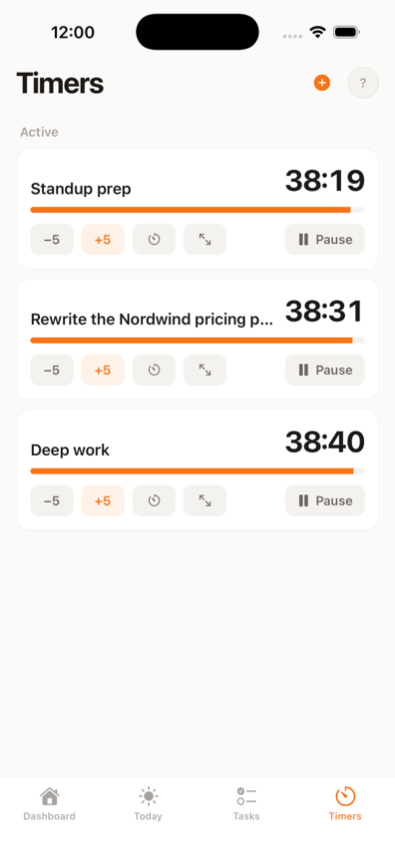
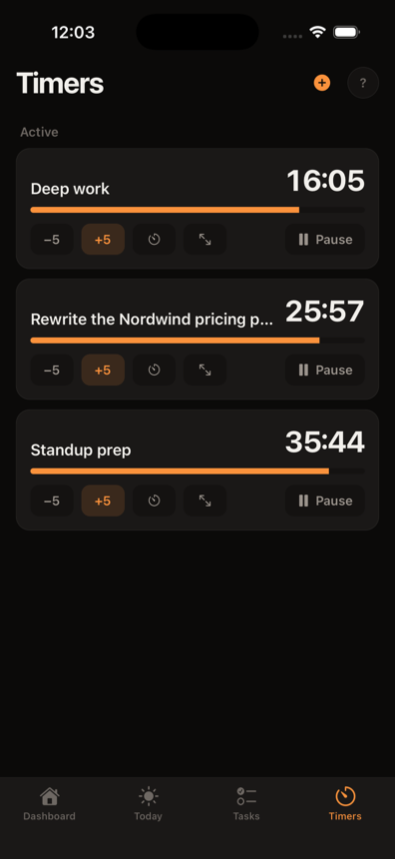
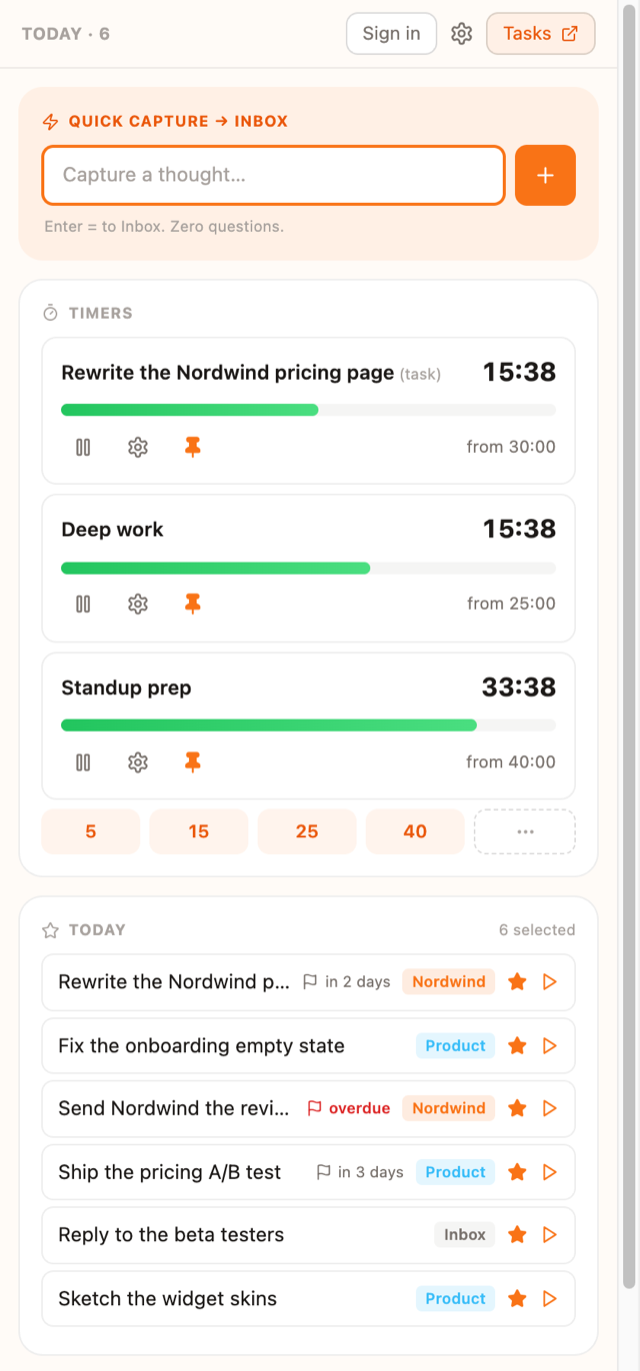
Offline-first. Cross-device sync in Pro
Everything keeps working with no connection at all. Pro adds one account across phone and browser, so a change on one shows up on the other right away.
How it works
Capture in one keystroke
A thought goes from your head onto the list before it evaporates - hotkey in Chrome, widget on iOS.
Plan it for a day
Give it a day, and a deadline if it has one. It surfaces on the day you chose and waits there until it is done, instead of quietly rotting.
Time it
Tea, sprint, standup - several at once, each with its own countdown on the lock screen, the Dynamic Island and in the browser, until the alarm says done.
How PlanSync compares
Compiled from publicly available information - corrections welcome.
| PlanSync | Apple Clock | Time Timer | Tiimo | |
|---|---|---|---|---|
| Several timers at once | 5 free · unlimited in Pro | Yes | Yes | No |
| Countdown on your lock screen | 3 free · unlimited in Pro | Yes | No | Yes |
| A task manager, not just timers | Yes | No | No | Yes |
| Works in your browser | Yes | No | No | Yes |
| Full-screen alarm when time’s up | Yes | No | No | No |
| Price | Free · Pro $3.99/mo | Free · built in | Free · paid Premium | Free · up to $54/yr |
Several timers at once
- PlanSync
- 5 free · unlimited in Pro
- Apple Clock
- Yes
- Time Timer
- Yes
- Tiimo
- No
Countdown on your lock screen
- PlanSync
- 3 free · unlimited in Pro
- Apple Clock
- Yes
- Time Timer
- No
- Tiimo
- Yes
A task manager, not just timers
- PlanSync
- Yes
- Apple Clock
- No
- Time Timer
- No
- Tiimo
- Yes
Works in your browser
- PlanSync
- Yes
- Apple Clock
- No
- Time Timer
- No
- Tiimo
- Yes
Full-screen alarm when time’s up
- PlanSync
- Yes
- Apple Clock
- No
- Time Timer
- No
- Tiimo
- No
Price
- PlanSync
- Free · Pro $3.99/mo
- Apple Clock
- Free · built in
- Time Timer
- Free · paid Premium
- Tiimo
- Free · up to $54/yr
Deep-dive comparisons:PlanSync vs TiimoPlanSync vs Time Timer
All trademarks belong to their owners. PlanSync is not affiliated with any of them.
I’m Marcin. I have ADHD, and every timer app I tried was built for someone else’s brain - invisible timers, one at a time, buried behind three taps. So I’m building the one mine needs. Solo, in public, from Poland.
Get PlanSync today.
On Android? Leave your email and hear the day it lands.
No spam - release news plus a short build update now and then. Unsubscribe anytime.
Questions, answered
Where can I get PlanSync?
The iPhone and iPad app is on the App Store and the extension is on the Chrome Web Store - both free to start. Android is next: leave your email on this page and you’ll hear the day it lands.
Which platforms does it run on?
iPhone and iPad, plus Chrome on your computer - Android comes next. Each one works offline on its own; Pro adds a shared account that syncs them. A web app comes later.
How much will it cost?
Free to start, forever. Pro is $3.99/month; a one-time Lifetime licence is $79.99. See full pricing
What is the email signup for?
An email the day Android lands, plus a short behind-the-scenes update now and then. Unsubscribe anytime. You’ll need to click a confirmation link - check spam if it doesn’t show up.
Is it only for people with ADHD?
We build with ADHD in mind - visible time, zero-friction capture, loud alarms. The same design works for anyone who loses track of time.
Does it work offline?
Yes, by design - everything keeps working without a connection. With Pro it also syncs to your other devices once you’re back online.
What happens to my data?
Your email is used only for PlanSync news - releases and build updates, nothing else. Analytics are cookieless. You can unsubscribe or ask for deletion anytime - see the privacy policy.
How is this different from Tiimo or Forest-style apps?
Those apps plan your day or gamify one focus session at a time. PlanSync is built around several visible countdowns running at once - plus fast task capture - on your phone and in your browser, working offline too. No shaming trees, no single-timer limit.
Are there widgets and lock-screen timers?
Yes. Five iOS widgets in four skins, a Live Activity on the lock screen and in the Dynamic Island, and a floating timer widget in the Chrome extension that follows you across tabs.
When does Android arrive?
Android is next in line after the iOS and Chrome launch. There’s no date yet - leave your email and you’ll be the first to know.